Just a year ago this would have been a difficult post to write. Not because it wasn't possible, but because the two main options were either find someone local who will sell you Bitcoin for cash or learn to use Bisq. Nothing against either option, but they're not really friendly for newcomers. You couldn't convince someone to buy their first Bitcoin by explaining the process of setting up Bisq (which requires a resource intensive desktop app and already having some Bitcoin as a deposit) or telling them to meet a total stranger with cash in their pocket.
But things move fast. As KYC regulations only get stricter around the world, the old adage "we can code faster than you can regulate" holds true as ever.
Today, anyone can buy Bitcoin without KYC, and even without doxxing themselves to the seller, straight from the comfort of their smartphones. You can even use your credit or debit card to buy Bitcoin without your bank knowing you bought Bitcoin. How? Read on...
Accessible financial privacy for the masses
The ability to access fiat on-ramps to Bitcoin is vital to the Bitcoin ecosystem and will only become more vital in the future with the advent of CBDCs.
Therefore, a competitive free market of peer-to-peer non-KYC Bitcoin trading is key as only in a competitive environment is progress truly incentivised. The most obvious way to increase your customer base is to make your platform as accessible as possible to as many people as possible. The fact this has already begun is an excellent sign of things to come.
"Enough preamble! How do I buy Bitcoin without KYC?"
For the purposes of this post I will focus on user friendly options that you can show a regular person to use on their own, without having to be a technology expert.
As such I am focusing on two options: Robosats and Peach.
Other options exist, and hopefully if you're reading this a year after publication there's a plethora of other user friendly ones. But for now those two are the most accessible.
Both allow you to purchase Bitcoin while remaining anonymous to the seller by offering payment options such as voucher codes.
The main differences between the two are that Robosats provides greater privacy, operates solely through Bitcoin Lightning, and is only accessible through Tor. Peach can be used through a regular app you can install on your phone, but you must make an account and your IP is visible to their servers, and at the time of writing it offers on-chain Bitcoin only.
Another important difference is that Peach has trade limits on how much Bitcoin you can buy and limited payment options that differ depending on the currency you choose, whereas Robosats has no limits and allows you to enter literally any payment method you like.
If you're already using Nostr you probably know the pros and cons of Lightning already so I won't repeat them here. Plenty has already been written on that topic elsewhere. Instead I will simply focus on teaching you to use both options. Choose whichever you prefer whether by how you want your Bitcoin and your threat model.
So let's go!
Robosats
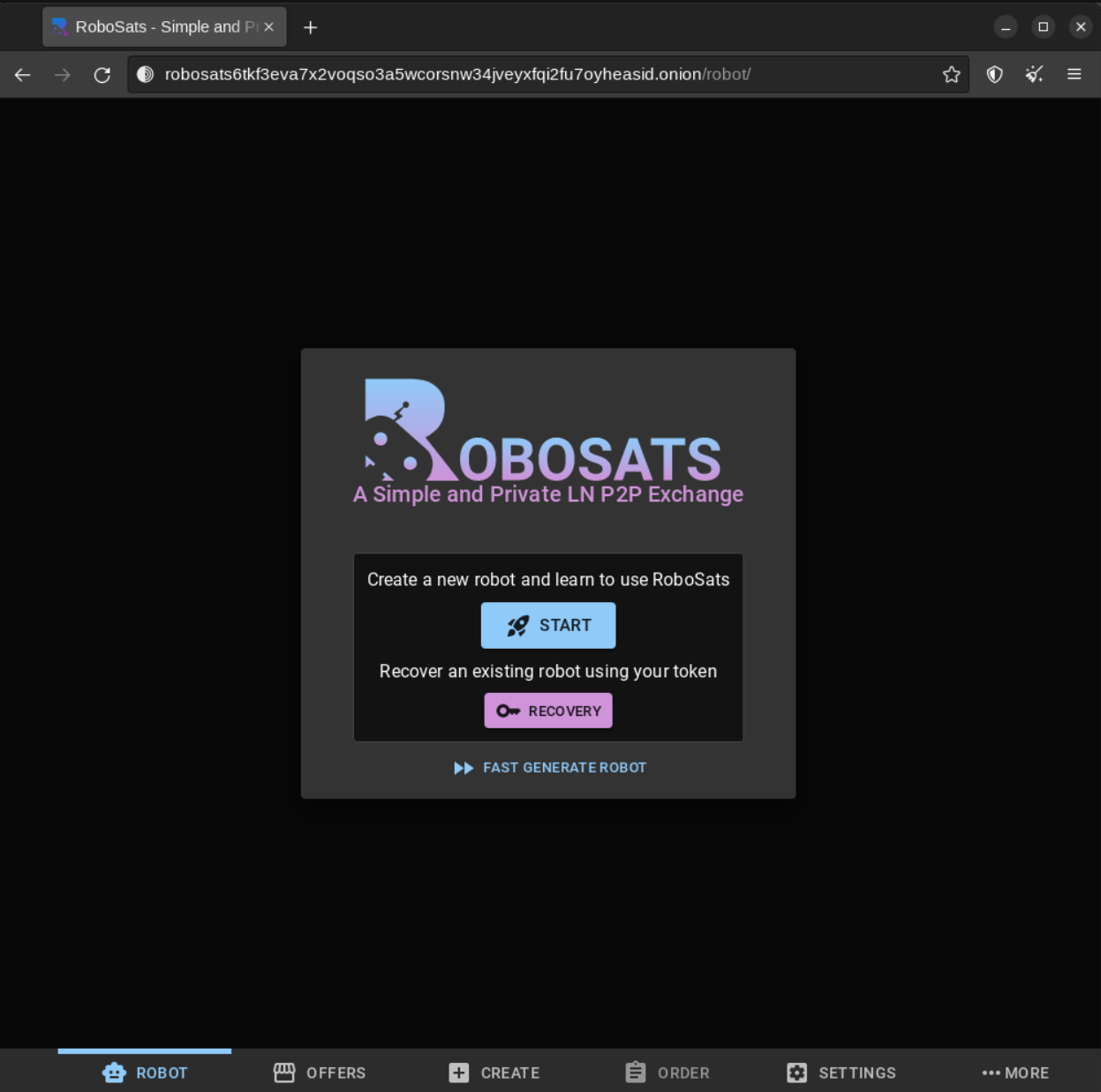
This one is slightly more difficult to get to grips with, but it's the most private and secure. And once you've used it a few times, it's very easy. I will share what I learned from mistakes I made when I first dipped my toe in the water so you can have a smooth onboarding experience.
Firstly, setup a lightning wallet if you haven't already, and put a small amount of sats in there. You will need usually 2-5% of the amount you're buying as a deposit. But you can also buy as little as $50 worth, so this shouldn't be a huge barrier. If you've participated in some zapathons you might even already have enough of a deposit to buy a small amount. Once you have $50 worth of sats, you can then easily afford to put deposits down on larger buys.
And no, your coin is not held in an escrow wallet controlled by Robosats. Instead, the sats are frozen in your wallet for the timeframe determined by the seller, which is shown to you before you accept the buy offer. If you don't respond when the seller comes online during this time, your sats are sent out of your wallet to discourage scammers and timewasters. If it's the seller who doesn't login during the given timeframe, the coin is simply unfrozen and becomes usable as normal in your wallet as before.
Make sure you are able to stay online for the time period given! And check your device regularly during this time! The app will tell you if a seller is currently online or not, this can help guide you if you are in a hurry!
If needing to have a small amount of sats first is an absolute dealbreaker and you can't ask anyone to lend you some, scroll down to the Peach section!
But assuming you're ready to go for Robosats...
If you're using a computer or an Android device, simply install the official Tor Browser. Using an iPhone or iPad? This is what you want. I recommend this over the other third party Tor browsers for iOS because it's free, open source, actively maintained, and doesn't have trackers in it (which, y'know, would kinda defeat the whole purpose of Tor).
Once you have a Tor browser you can access Robosats by the following onion address:
http://robosats6tkf3eva7x2voqso3a5wcorsnw34jveyxfqi2fu7oyheasid.onion
You probably want to save that somewhere or add it to your favourites in your Tor browser.
If you happen to not have access to it, you can simply go to robosats.com through Tor and it'll redirect you to the onion URL. I prefer to access Tor addresses directly because it's more secure so I recommend storing the onion URL somewhere you can get to it on your devices.
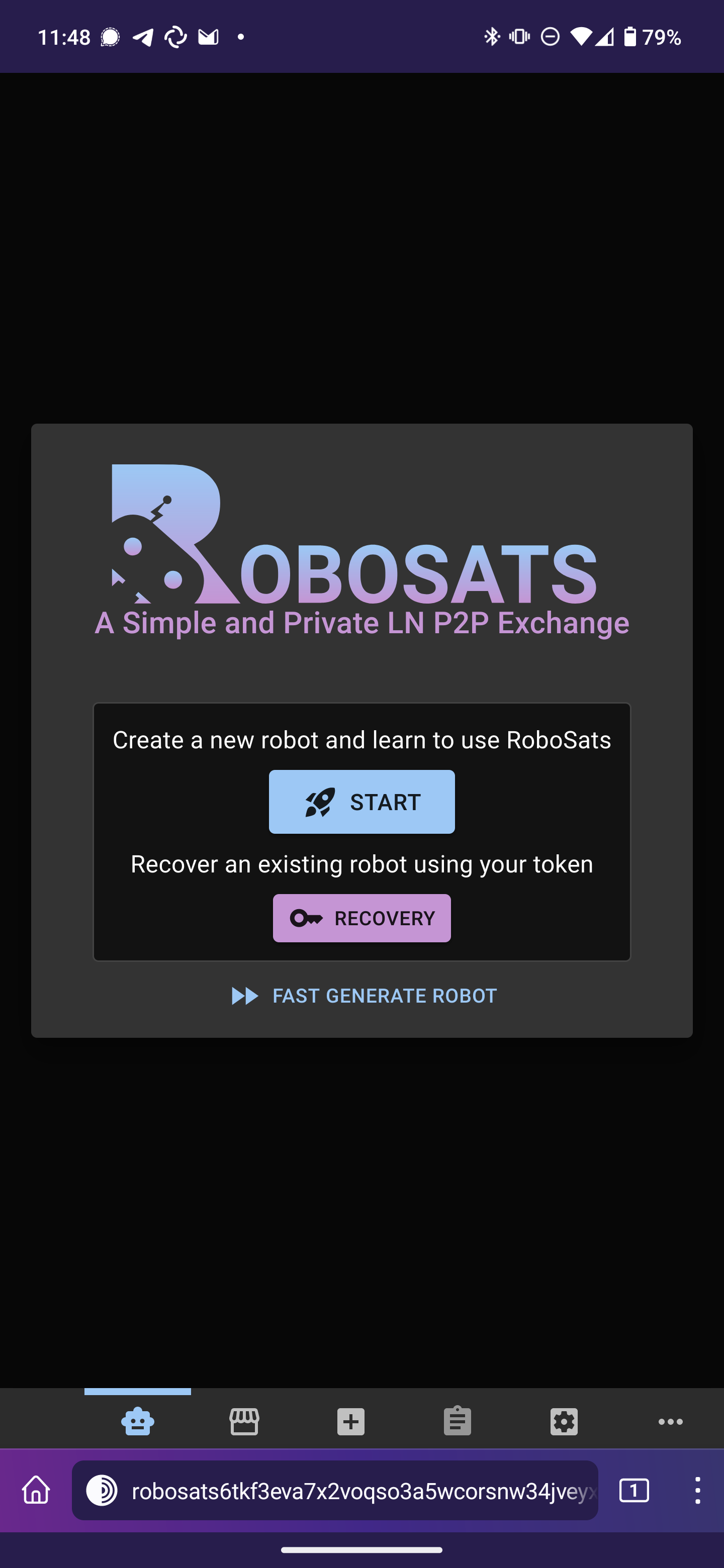
And yes, it functions perfectly on smartphones too:
And on the iPhone:
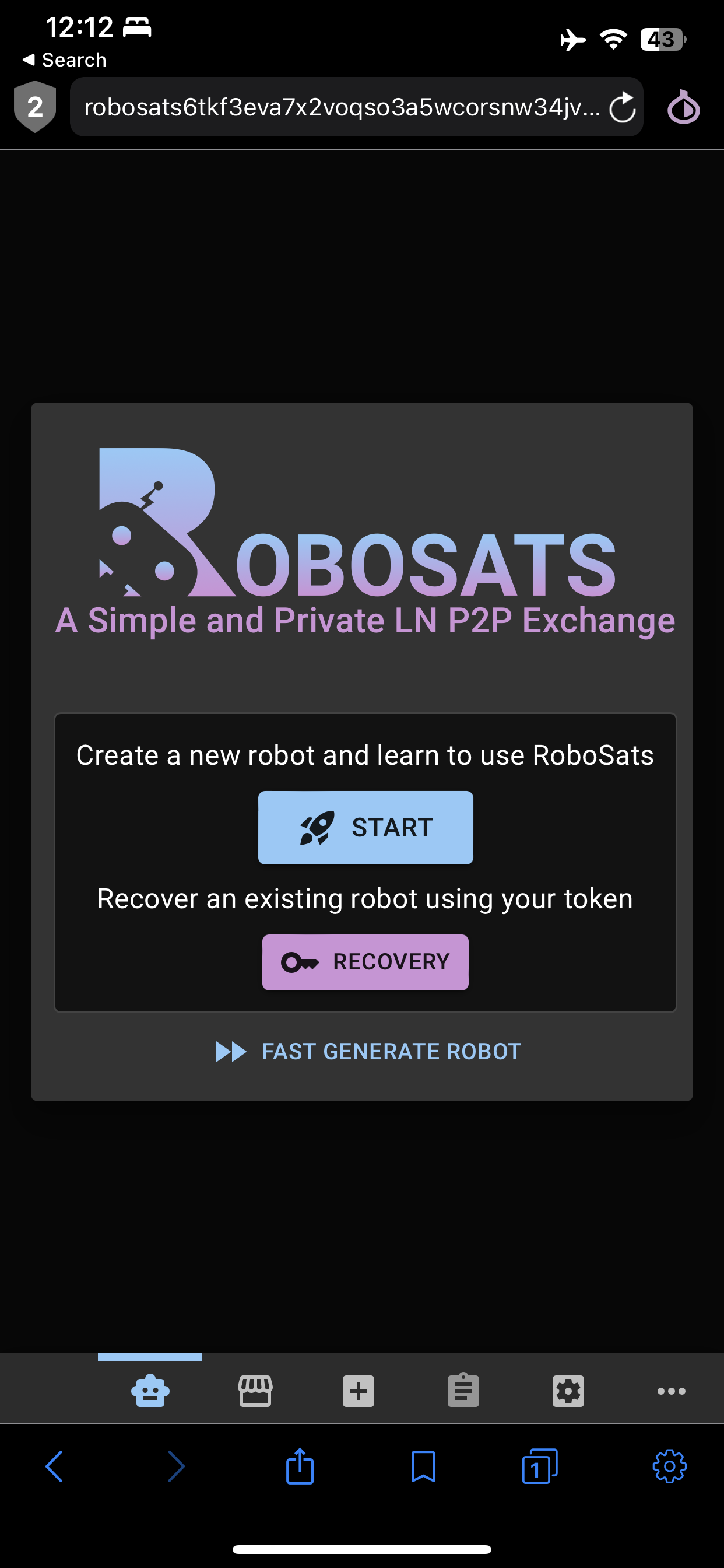
Note that for the Onion Browser on iOS, your security level needs to be set at "silver" as shown below. If it's at "gold" you get stuck at the loading screen because this setting disables JavaScript.
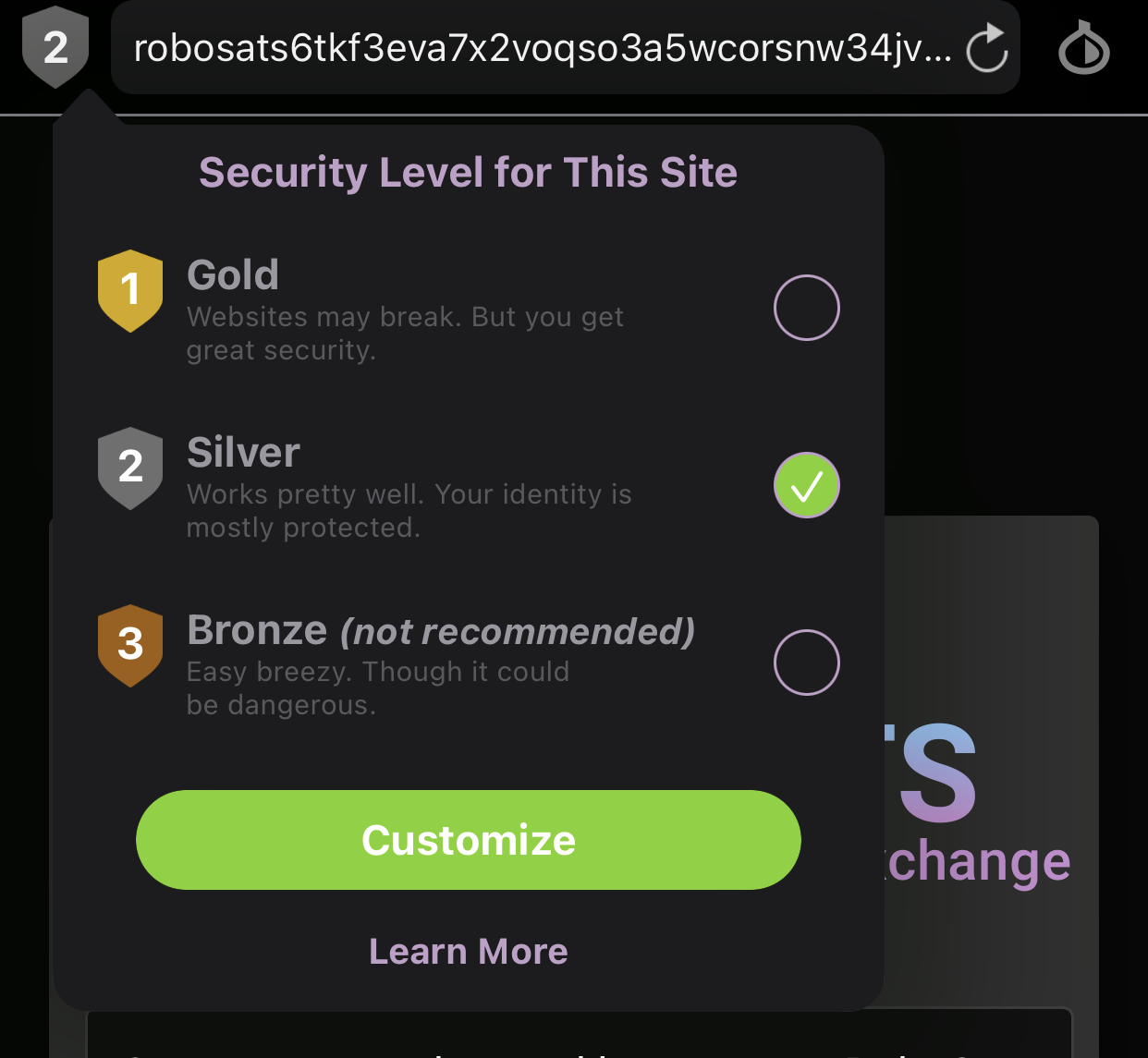
So now you're on Robosats. Hit that generate button and the magic begins. A "robot" is set for you, which in the background is a PGP keypair that's also used to encrypt communications between yourself and the seller once a trade has begun.
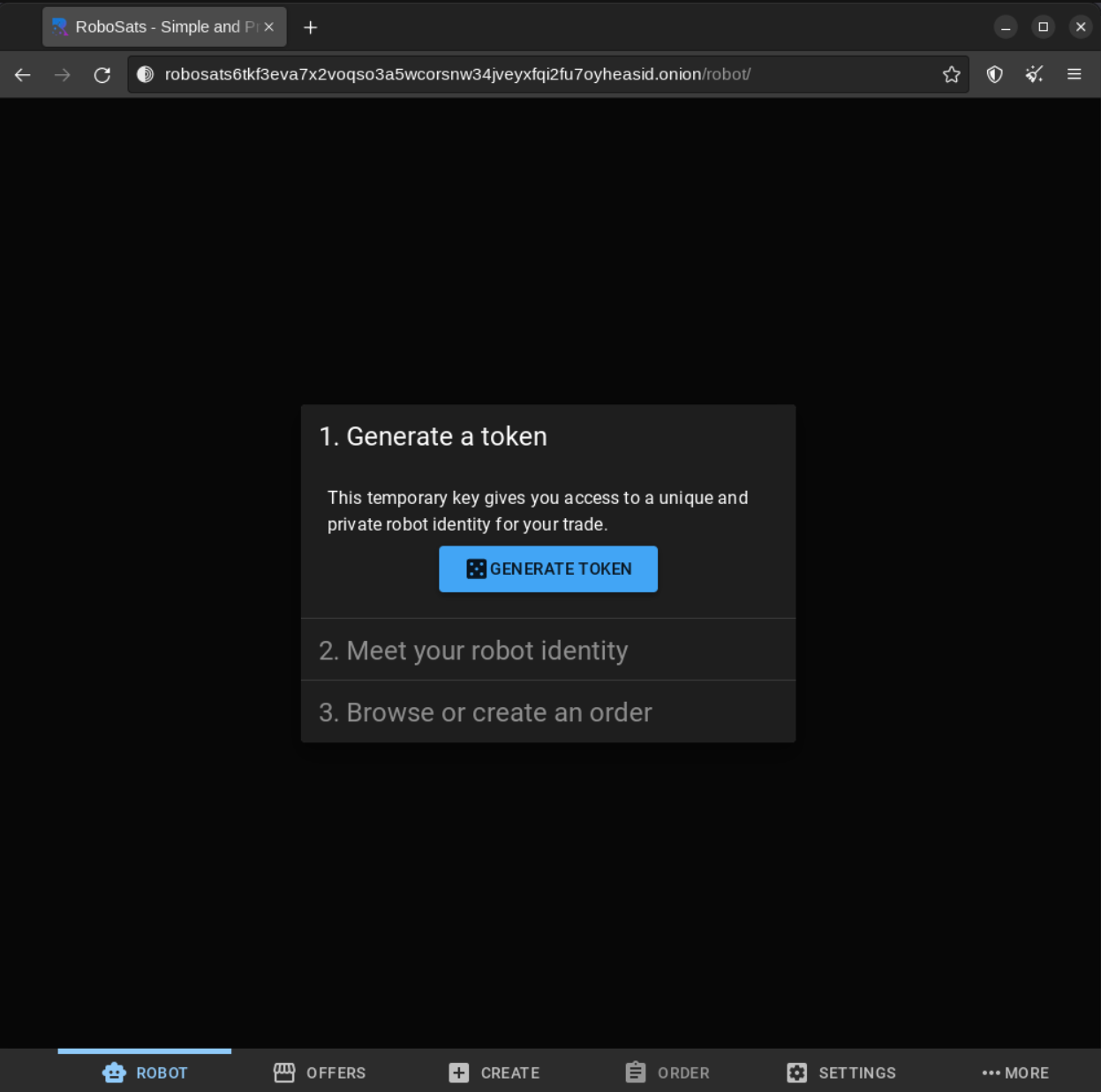
Save the key it gives you. This is important because if your session expires or the app closes when your phone is asleep or something, you can log back in to continue a pending trade.
Choosing a payment method
Now check out the listings option, filter by "buy" but don't set your country or currency, then marvel at all the options available to you!
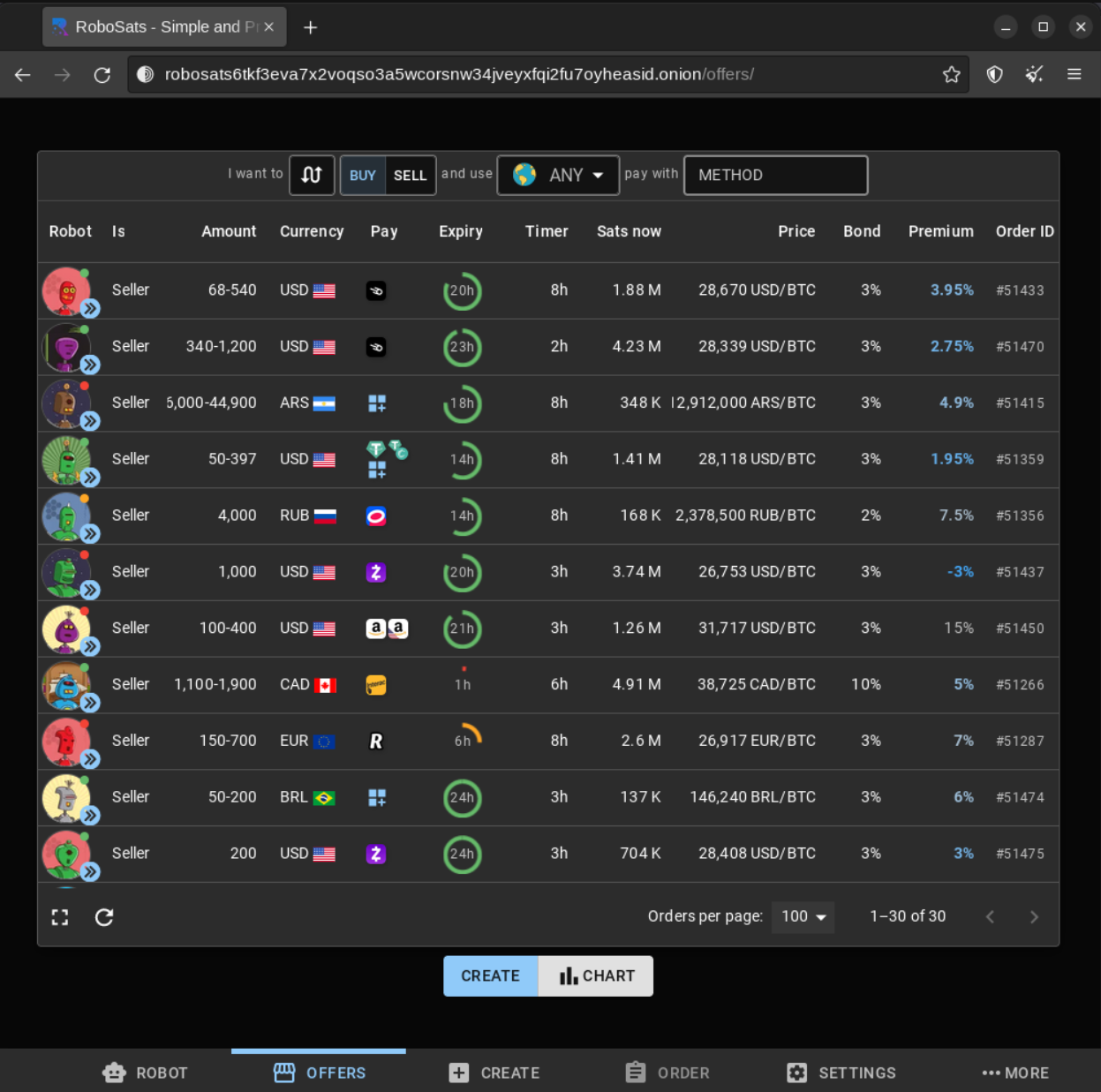
Why do I say not to filter by country or currency?
Check the screenshot above. You might notice a US based seller accepting Amazon US gift cards as payment for Bitcoin. This is perfect!
You do not need to live in the US to accept this buy offer. As long as you have an Amazon account in any country, you can simply go to the US site at amazon.com and login with your existing account. From there you can buy a digital gift card in USD that will work for a US account.
Same is true if the seller is asking for Spanish, Italian, or whatever Amazon vouchers. Just login to amazon.es for the Spanish site and buy a digital gift card for a Spanish seller. I have done this multiple times from an Amazon account that has never been used in Spain and neither Amazon nor my credit card company had a single problem processing the payment at all. They didn't even ask for extra verification for the payment to go through.
I like Amazon gift cards because if you buy one and send it to an email address you control, you can just copy/paste the code in the trade chat and the seller doesn't get any sort of metadata that could link back to you. And as far as your bank or card statement is concerned, you just spent money on Amazon - this is especially important if you live in a country with especially hostile regulations, or even if you just use a strict bank that could penalise you for sending money to a cryptocurrency exchange. Sadly this is becoming increasingly common too.
Many other payment options are offered too of course. CashApp and Strike are common choices for US sellers. Sometimes you see PayPal, but these come with a large premium over market price due to the chargeback risk and how strict PayPal is at freezing accounts, so I'd recommend avoiding those.
You also see listings that use bank transfers. If your threat model is simply not having KYC on record and you don't care if the seller knows your name or if your bank records you sent money to a random person for the first time, feel free to use these too - they often have the lowest premiums. Just keep in mind that with bank transfers, location does matter! If for example you're in the US and try to send money to an EU account, you might be unable to do so or may be required to phone your bank and request permission. If you're within the EU you should be fine sending money to any other EU country thanks to SEPA. So make sure you're aware of any possible complications if you try to buy using bank transfers from foriegn sellers. This is another reason I prefer gift vouchers.
Fnally, you see listings that accept payment in other cryptocurrencies. I personally recommend not bothering with these because it's easier using an automated crypto-to-crypto exchange like Exch.cx, FixedFloat, or SideShift.
The trade itself
Once you find a buy offer you like, click it to accept it. As I noted above, you will be shown the expiration time, if the seller is currently online, and the required deposit. If these are all acceptable to you, go ahead and begin. Once the seller is online and messages you, the conversation is encrypted by PGP using the key generated for you in the first step. If for any reason there's a problem with your payment (e.g. your bank blocking the transfer) you can tell the seller and mutually cancel the trade. If a trade is mutually cancelled, your deposit is unfrozen so you lose nothing.
If none of the sell offers appeal to you, you can create a buy offer and set your own payment methods, amount of coin you wanna buy, and you also set your own expiration times both for the time to respond to a counterparty and for the listing to stay up. Note you still need to provide a deposit in sats, but you choose the percentage. You also choose the premium above market price you're happy with. Obviously, the higher this is, the more likely it is sellers will take your offer.
Once the trade is complete the sats are sent direct to the invoice you give when you begin a trade. Make sure it doesn't expire before the listing does! You can also choose to recieve your Bitcoin on-chain, but a small fee is taken for converting from Lightning to the chain, and the deposit still needs to be made through Lightning.
This is a lot of info to take in at once, I know. This thread explains the process more visually. There's also multiple YouTube tutorials here.
I promise you that as long as you have a few dollars of sats this isn't very difficult and after your first trade you will get the hang of it fast. It's well worth doing because this system is both accessible on all devices and highly private and secure to the same level as Bisq, plus the Lightning Network allows literally instant, and more private, transfers with much lower fees than the main Bitcoin blockchain most of the time.
Peach
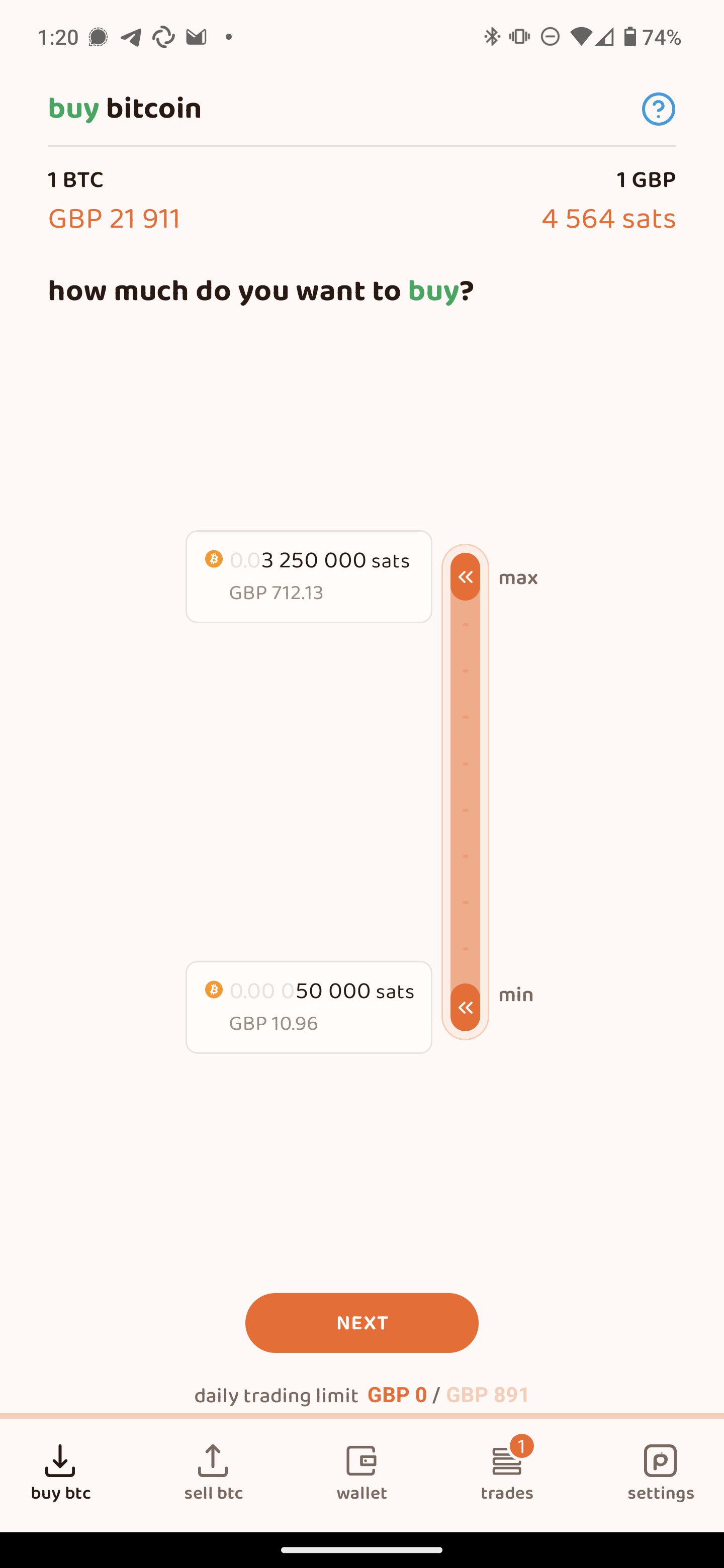
This works along similar lines to Robosats but slightly more centralised, less anonymous, and without the option of using Lightning. The tradeoff however is more convenience. You just get the app on your Android or iPhone and choose the payment methods and amount you wanna buy then wait for a seller to accept your offer. You don't set the premium, the seller does. You are free to decline trade offers if you think the premium is too high.
As you can tell, this is a different UX from Robosats where both buyers and sellers can see the order book. On Peach, only the sellers can see the offers made by buyers. You then have to wait for sellers to come to you. This can take days depending on your currency and payment method, and if you're a new user without a reputation yet, this can put off sellers too.
One thing Peach has over Robosats is a reputation system and no requirement to make a deposit. The latter is because the Bitcoin is placed in an escrow wallet until the trade completes.
It is run by a company that has to comply with some regulations, hence the trade limits, however it's based in Switzerland and trades are still peer-to-peer so these are much more lax than conventional exchanges, hence the ability to operate without KYC.
Once a trade is complete, the seller sends you coin on-chain and you get it in a wallet built into the app. This is a non-custodial wallet meaning it's the same as storing Bitcoin locally on any device. Personally I tend to split buys between a conversion to Lighting using a service like Boltz for spending before sending the rest to my hardware wallet for cold storage, but that's just me.
Aside from the differences listed above, the rest of the flow is much the same. You can choose Amazon gift cards as a payment option - but only in certain currencies, a limitation not in place on Robosats. You can speak to the seller through an encrypted chat. All trades are peer-to-peer. No KYC is needed. No deposit is needed.
It is definitely the easiest way to buy Bitcoin without KYC, but not necessarily the most secure or private. Consider your threat model here. If you don't care much about being totally anonymous and just don't want to send your ID to a company, Peach will suit your needs, but the limitations on payment options compared to Robosats can be a little frustrating.
FAQ
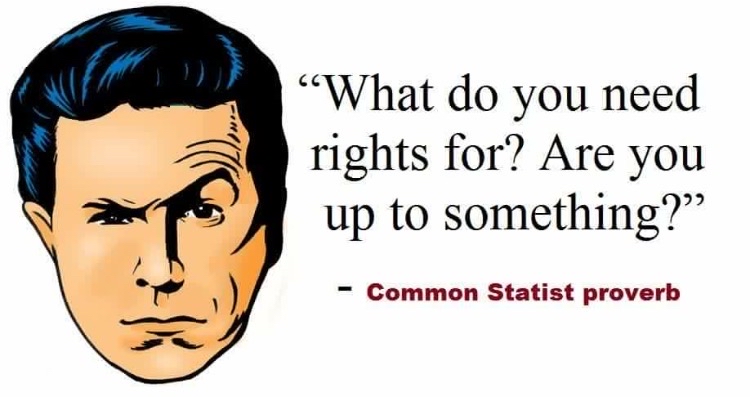
Whenever I discuss things like this, you always get statists coming to defend KYC and other government regulations. So I'll just make my thoughts on their most common complaints known clearly in advance.
"Privacy is for criminals!"
Satoshi didn't create Bitcoin intending for it to be held by exchanges who demand scans of your passport, utility bills, and the blood of your first born. The entire point of Bitcoin is that it is peer-to-peer decentralised cash.
While not totally anonymous, given the public nature of the blockchain, it is pseudoanonymous meaning wallet addresses cannot be linked to your real name and ID. This is by design. KYC destroies this vital benefit of using Bitcoin.
To gain true financial sovereignty your coins shouldn't be connected to a centralised corporation with a huge database full of sensitive personal information of all its customers.
The very design of Bitcoin lends itself to cypherpunk ideals of using technology to remove government regulations and control from the monetary system. If you think "nothing to hide, nothing to fear" you might as well just wait for the Goldman Sachs CBDC and not bother with Bitcoin.
Also, if privacy is bad, I encourage you to put cameras in every room of your house and stream them live openly on the internet. Why not? What are you, some kind of criminal or something?
"But without KYC people can buy drugs and evade taxes!"
Most illicit activity is conducted using cash printed by central banks.
KYC Bitcoin can also be tumbled and/or converted to privacy coins like Monero very easily.
But even if those things were not true, my response would still be one word:
Good.
In the words of Ross Ulbricht:
I saw how the state lives parasitically off the productive people of the world, and how quickly it would crumble if it didn't have it's tax revenues. No soldiers if you can't pay them. No drug war without billions of dollars being siphoned off the very people you are oppressing.
Nobel Prize winning economist Milton Friedman put it even more bluntly:
If you look at the drug war from a purely economic point of view, the role of the government is to protect the drug cartel. That's literally true.
And to make sure we cover both points:
I am in favor of cutting taxes under any circumstances and for any excuse, for any reason, whenever it's possible.
If you think government control over monetary supply is a positive thing... why do you want Bitcoin in the first place?
To quote Ross again:
If you want to use a debt based inflationary monetary system, go right ahead, doesn't affect me so long as you don't try to force me to use it as well.
I also encourage you to read up on the origins of the "War on Drugs." Spoiler alert: it has everything to do with political games and nothing at all to do with concern for your health.
Hope you found this useful!
PV!